A short post to highlight an issue that I wasn’t aware of, and now have to be very wary of. Indeed Ian’s comment about whether you need the Google Photos app installed on your iPhone is prescient – you most probably don’t if you’re backing-up photos to your iCloud account. And if you’re backing-up photos to a google account (as described in the earlier post), there are different ways of doing it which means you quite possibly don’t need the Google Photos app on your phone.
Remember, you can always look at the photos stored in the Google cloud from photos.google.com on your Apple phone or tablet – you don’t need the app installed.
So here goes … another learning point. I’ll type it in capitals so that you don’t miss it!
IF YOU DELETE PHOTOS FROM THE GOOGLE PHOTOS APP ON YOUR IPHONE OR IPAD AND IGNORE THE WARNING – THEY WILL BE DELETED FROM ICLOUD AS WELL.
There, I’ve said it. I didn’t realise it, and always shied away from deleting photos in Google Photos because I didn’t really understand what the warning meant. But now I do and obviously that’s not something I want to do, so how do I go about removing photos from the app, and/or from the Google cloud. Read on!
Scary, eh?! Take care when deleting photos from your iPhone
What I’ve researched is well summarised in the following article …
If you want to delete photos from Google Photos – do it on the Google Photos website, not in the app on your iPhone or iPad. If you have synchronisation active, they will then be deleted from the app on your device as well.
If you want to quickly delete all photos from your Google Photos app, just delete the app having first ensured that you’ve switched off Backup and Sync, because if you don’t, when you re-install the app, they will be synchronised back to your iPhone/iPad.
If you don’t need the Google Photos app, uninstall the app, no photos will be deleted from your phone, they will still be in your Camera Roll and will have been stored on iCloud, nothing will be deleted from the Google Photos website either, so you will have to do that deletion from photos.google.com – see Case 1 above.
An unlikely scenario, but one to be aware of – If you turn off iCloud before deleting photos from Google Photos on iPhone, then the photo will be removed from your device and Google Photos. It will stay on iCloud. However, if you enable iCloud again on the same phone, the photo will be removed from it too.
And even more unlikely, but probably unexpected and a potential surprise – Disabling Backup and sync will not have any effect on your iCloud photos as it is just a setting to enable or disable backup service on Google Photos. If you disable it and then delete photos from the Google Photos app on your device, they will be removed from the device as you are technically deleting the device copy on your iPhone/iPad. And once it is deleted, the iCloud copy gets deleted automatically.
Remember. Google Photos in the cloud, and iCloud Photos do NOT work the same way. Apple aims to synchronise all images across all devices with “the master” being held in the cloud. The Google Photos app is just a portal looking into the images on the device, and synchronising (if chosen) those images with ones stored on photos.google.com.
I hope that makes it all perfectly clear 🙂 🙂 🙂
In summary, do not delete photos in Google Photos directly from your iPhone if you have both apps on the device. Use the Google Photos website to remove photos. It is suggested that you should delete a few photos initially. Then, check them in iCloud after some time. If the photos are still there, you can go ahead and delete them in bulk.
It all started (for me at least) with this powerful poem sent to me by my son – who lives in Australia …
Do not go gentle into that good land,
Australia, wild and free,
Where golden sun sets on red sands,
And the ocean's voice speaks to me.

Rage, rage against the dying light,
Of the day, and the endless night,
Where the stars shine bright like fireflies,
And the kookaburra's laugh takes flight.

Do not go gentle into that good land,
Where the heat beats down like a drum,
Where the droughts are long and the wildfires grand,
And the rains come in a monsoon.

But do not despair, for in this land,
There is beauty in every plight,
The eucalyptus stands tall and grand,
And the kangaroo bounds with might.

Do not go gentle into that good land,
Australia, wild and free,
Where the spirit of the land is strong,
And the people, a part of its destiny.
Wow, I thought. I never knew he had it in him (being IT-geekish like me). It sounds like it could have been written by Dylan Thomas. He then let on …
“I asked ChatGPT to write a poem in the style of Dylan Thomas about Australia :)”.
That was on January 24th. It opened my eyes to something that was sweeping the internet and which had obviously been developing for many months, if not years. Of course I’d known about the concept of artificial intelligence, but had always imagined it in the context of driverless cars; sensors in rooms (or of any variety); clever games that you might play against, etc. etc. But here was something that seemed – on the surface at least – to have a sentient presence. Something that could think, interpret what you were saying (or writing) and return a result that – on the surface at least – made sense.
He then followed up his magnum opus with this …
Verse 1:
The world spins round, the money flows
The rich get richer, the poor get woes
We're told that we need more and more
To keep up with the Joneses, we're a corporate whore

Chorus:
Materialism, capitalism,
A never-ending cycle of greed and madness
We're slaves to the system, we're just cogs in the wheel
Materialism, capitalism, it's not real

Verse 2:
We're told that happiness comes with a price
We buy and we buy, but it's never enough
We're in a rat race, we're running on a treadmill
We're chasing the dream, but it's just a mirage

Chorus:
Materialism, capitalism,
A never-ending cycle of greed and madness
We're slaves to the system, we're just cogs in the wheel
Materialism, capitalism, it's not real

Bridge:
We're drowning in consumerism, we're losing our souls
We're sacrificing our humanity for shiny gold
We're living in a world of illusion, a world of lies
We're sacrificing our future for temporary highs

Outro:
Materialism, capitalism,
A never-ending cycle of greed and madness
We're slaves to the system, we're just cogs in the wheel
Materialism, capitalism, it's not real.
Double wow!! I knew this time it wasn’t him doing the thinking, but what was the question that the tool he was using had been asked, and what was the song based on? Any guesses?
He replied …
“The song by the way? I asked for a song about materialism and capitalism in the style of Pink Floyd.”
“How do you do that?” … I of course asked …
import socket

# Target IP address
ip = "192.168.1.1"

# Open a text file for writing the results
with open("port_scan_results.txt", "w") as f:

    # Scan for open TCP ports
    for port in range(1, 65535):
        sock = socket.socket(socket.AF_INET, socket.SOCK_STREAM)
        sock.settimeout(5)
        result = sock.connect_ex((ip, port))
        if result == 0:
            f.write("TCP Port {}: Open\n".format(port))
        sock.close()

    # Scan for open UDP ports
    for port in range(1, 65535):
        sock = socket.socket(socket.AF_INET, socket.SOCK_DGRAM)
        sock.settimeout(5)
        result = sock.connect_ex((ip, port))
        if result == 0:
            f.write("UDP Port {}: Open\n".format(port))
        sock.close()
“There you go. This is a port scanner application.” was his reply. [Please don’t ask me to explain what this is, and how to do it. As I said, he’s an IT person, and far more experienced, qualified and up-to-date than me!!]
To add insult to injury my daughter then added (this was on Signal by the way in our Family chat group) … “Do you not use ChatGPT yet dad ? I could spot the author of that poem a mile off …”
I realised then it was time for me to wake-up!
The journey starts here
I jump forward now to our u3a meeting on 23rd February when I must have mentioned something about ChatGPT. I was delighted that am a member sent me this link to a site that aims to provide you with an itinerary for you to use when visiting a place you don’t know – it’s called Roam Around. Take the time to play with it.
In between, I’d started my journey of discovery, helped a lot by the plethora of articles that had begun to emerge since the New Year.
Microsoft were building OpenAI into their search engine Bing; Google were following suit with their equivalent – Bard. [Where do they get the idea for these names from? Then again where did they get the name Google from?] Here’s a set of links to articles that I read during this time …
February 2nd – How 5G and AI will work together – a techie article illustrating how the explosion of machine learning, with highly advanced technology will benefit us all in the future. I recommend a quick scan through this article to show how the two technologies working together will improve the performance of a lot of our existing systems.
For further links that may not appear in the list of references above, please pop-over to Thought grazing on Flipboard to see articles – some of the recent ones are about ChatGPT, OpenAI that I’ve curated there.
And so to demonstrations
The starting point has to be ChatGPT, and to use it to ask questions that will get hopefully meaningful answers, or to craft lovely poetry, songs etc. you need to create an account with OpenAI – the company that has created ChatGPT and other AI-like applications. So click on this link, and create an account from the Signup button. After you’ve provided an email address and Password, you will need to go to your email to Verify that email address and then you’re invited to provide some personal information, including a mobile phone number, to which a verification 2FA code will be sent to. Once you’ve done that you will be presented with some information screens …
… and you’re good to go …
… so give it a go.
We then tried out Roam Around for which you don’t need an account. It appears to not provide completely up-to-date information, but it’s an interesting application …
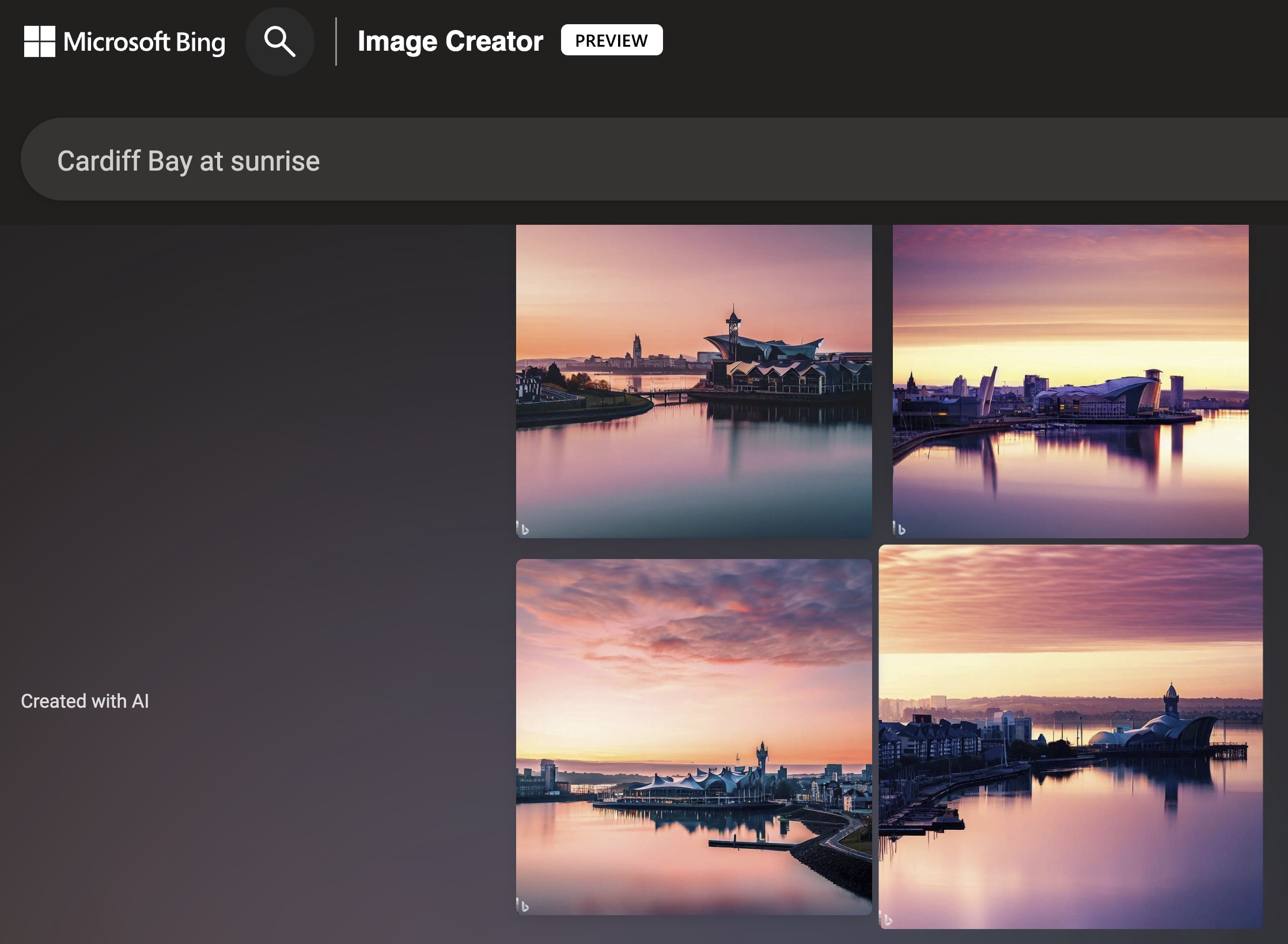
Finally, using the account we’d already setup with OpenAI, we tried DALL-E, using first the request to create an image of Cardiff Bay at sunrise …
… a surrealistic set of images which were only surpassed when we added the text “with Donald Duck present”. I leave other possibilities t to your imagination …
I also was able to use Bing in Microsoft Edge – the featured image at the top of this article shows this – to create similar images. Unlike Google/Bard; the Preview for Bing with OpenAI seems to be more readily available. You may need to download the most recent version of Edge though, and it most probably helps if you’ve got an existing Microsoft account (which I did have).