Yes, well, it’s been a good year with the James Grieve this year too and Jenny’s been kept very busy keeping up with the windfalls – we’ve now enough apple sauce and stewed apple to feed an army with apple crumble!
But, of course, I’m really talking about Apple’s September event and the announcements made about iPad, Apple Watch, Apple TV and of course the new iPhone 6s.
I can’t remember a set of announcements that (apart from the Apple Watch) I’ve been so excited about. I mean it! Whether that’s because I have an aging iPhone 4s and an iPad 2, or whether it’s because I’ve been waiting what seems ages for Apple to launch the new Apple TV – I can’t say. I do know I’ll be throwing ideas around in my mind for quite a while about the iPad , whilst I’m playing with the new iPhone 6s which I do intend to get.
The iPhone decision is quite easy to make. I decided to keep my 4s on iOS 7 – a good decision, it still works very well, and with a slimmed down set of apps there’s a good case to say – just keep going, use it as a phone, nothing else. However, for me, 3D Touch just looks like a huge step forward and I can see lots of developers making use of it and enhancing the experience of using the phone. Then there’s the new camera and it’s larger sensor. Live Photos looks really interesting and I’m already looking at Martin’s slo-mo videos taken on his iPhone 5/6 and thinking … that would be nice. So there you have it. I have to have iOS 9 and I have to have an iPhone 6s … but not the Plus – we are talking about a phone after all!!
So … the iPad. I made the decision to try iOS 8 on my iPad 2. Wish I hadn’t, it slowed down horribly and the experience is not relaxing as you wait as an app loads and wonder whether it’s going to, or not. So … I had made the decision NOT to bother to upgrade the iPad and to just use my MacBook Pro more, maybe upgrading that to a more portable MacBook next year, but two things have changed my mind, and left me with a dilemma that I think I’ve now resolved.
The children bought my mother a Kindle. Seeing it’s form factor and how easy it is for her to hold it in one hand made me realise that a smaller iPad COULD work for me. I’d always previously rejected the iPad Mini as I couldn’t see what it’s purpose was. This was even more the case when the iPhone 6 Plus came along, but it’s just too big to be a phone … isn’t it?
Then along comes the iPad Pro and suddenly something becomes really clear to me – there is a real use case for the iPad Pro. I can see myself watching videos, streamed media, editing photos on it and NOT on a MacBook … but not yet. It’s not the perfect device, and I’m not sure it ever will be until the Lightning connector is replaced by a USB-C connector. I’ve already blogged about this connector on the MacBook and I do seriously feel that this is the way forward for Apple.
When you’re taking pictures in RAW with a 36MP sensor, you’re talking about large files. I need to be able to save them on a portable disk if I’m going to take my iPad away on trips with me. I need a proper USB port to use and I don’t mean a Flash Drive. This storage also has to work with the software I’m using – Lightroom. So, I’m sorry, the iPad Pro will have to wait – even though it looks gorgeous and I’d love to have one.
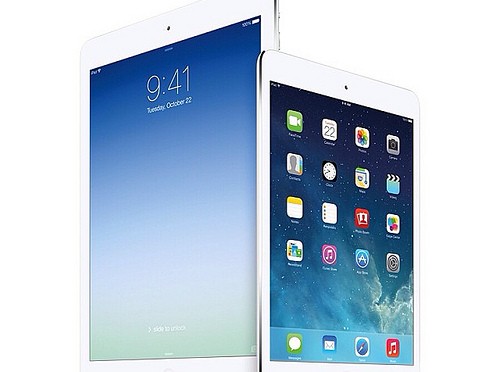
So, the real surprise of the Apple Event was the underplayed (understandably I suppose) announcement of the iPad Mini 4. The specification has been ramped-up, it looks a really good reader with the Retina screen and I can hold a glass of wine in one hand and the iPad in the other whilst of course controlling the Apple TV with it. I think I’m sold on this device – will give it a look later today and maybe, just maybe, I’ll buy it!
So, last but not least, the Apple TV. Now Apple has a platform to make things happen on. This looks a really exciting development with the hardware being given an operating system – TV OS – that will allow the creation of apps that will revolutionise watching TV in your living room. It’s a real game changer – I will definitely be buying the large memory version when it appears in the shops in November.
Finally, why nothing nice to say about the Apple Watch? I’m just not convinced. I actually don’t wear a watch very often these days – probably something due to me being retired. I can’t see anything in it I couldn’t do without. I freely admit to possibly being wrong, but I think I can wait a lot longer, perhaps forever, to be convinced.